Official WhatsApp Business Platform. Free trial.

Sell, support and grow your business on WhatsApp

Send offers to thousands of customers, answer every enquiry from one shared inbox, and let chatbots and AI handle the repeat questions. Everything runs on the official WhatsApp Business Platform.

  • Send offers and updates to all your customers in a few clicks
  • Reply faster with one shared inbox for your whole team
  • Chatbots and AI answer common questions day and night
  • See every lead and sale in one simple pipeline

No credit card needed to look around.
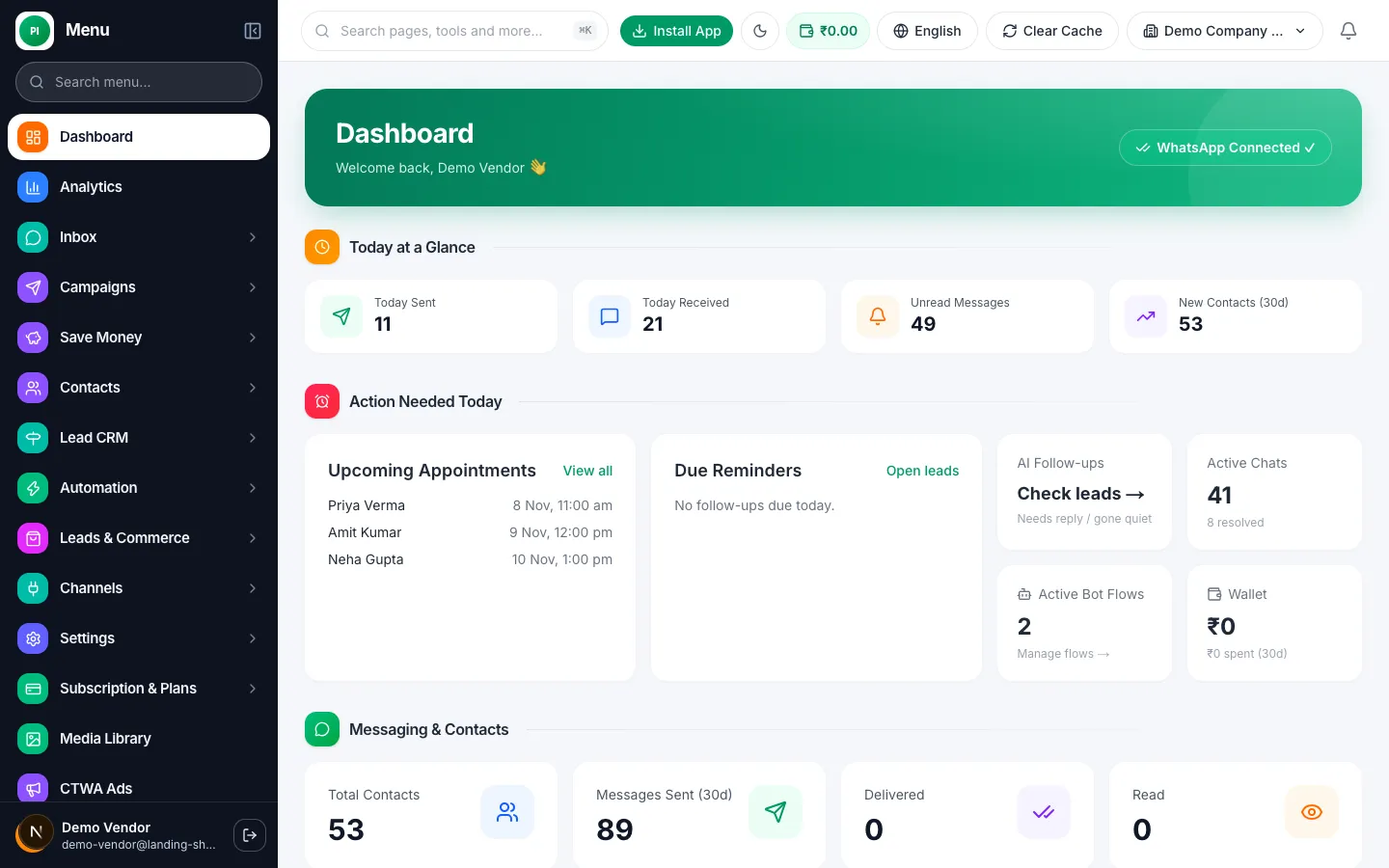
The Prestige Intelligence dashboard showing messages sent, received and unread chats
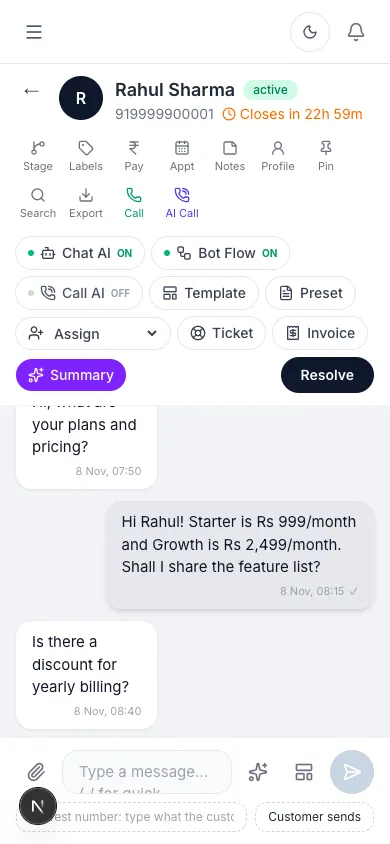
A customer chat open in the Prestige Intelligence inbox on a phone
  • Official WhatsApp Business Platform
    Built on Meta's own API, not unofficial WhatsApp Web tricks.
  • Your team, your rules
    Roles and permissions decide who sees and does what.
  • Indian GST invoices
    A proper tax invoice for every payment you make.
  • Your data stays yours
    Export your contacts and chats whenever you want.

What is Prestige Intelligence?

Prestige Intelligence is a simple online tool that lets your business talk to customers on WhatsApp, the app they already use every day. You send messages, answer chats and follow up with leads from one screen, without anyone having to type everything by hand.

  1. 1

    Connect your WhatsApp number

    Link your business number through Meta's official sign-in. It takes a few minutes and you do not need a developer.

  2. 2

    Add your contacts

    Upload a spreadsheet, or let customers arrive from your website, ads, QR codes and Instagram. Everyone is saved in one list.

  3. 3

    Send campaigns and automate replies

    Send offers and updates to a whole list, and set up chatbots and AI to answer the usual questions on their own.

  4. 4

    Chat as a team and track sales

    Your team answers from one shared inbox, and every enquiry moves through a pipeline until it becomes a sale.

Every tool you need to sell and support on WhatsApp

Here is what each part does, in plain words, and how it helps your business.

Broadcast campaigns

Send one offer to thousands of customers at once

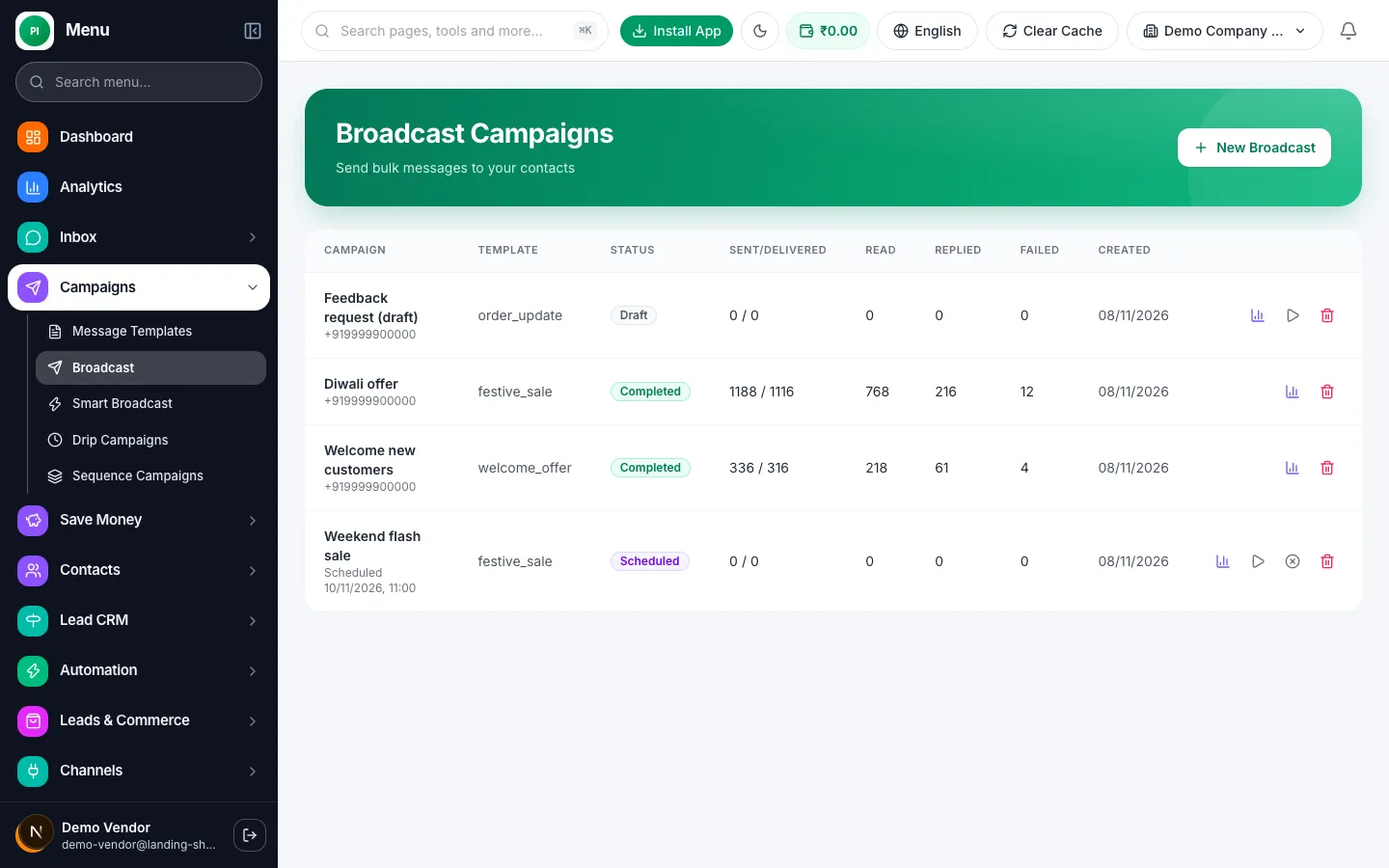
Pick a list, choose a message, and send. Customers get it on WhatsApp, where messages are opened far more often than e-mails.
  • Ready-made message templates that are approved by WhatsApp
  • Schedule a campaign for the best time to send
  • Reports show how many were delivered, read and replied
  • Send to a segment, for example only customers who bought last month
Try it free
Broadcast campaign list with delivered, read and replied numbers

Shared team inbox

One WhatsApp number, your whole team answering

No more passing a phone around. Everyone sees the same chats, and each customer knows they are talking to your business.
  • Many agents work on one number at the same time
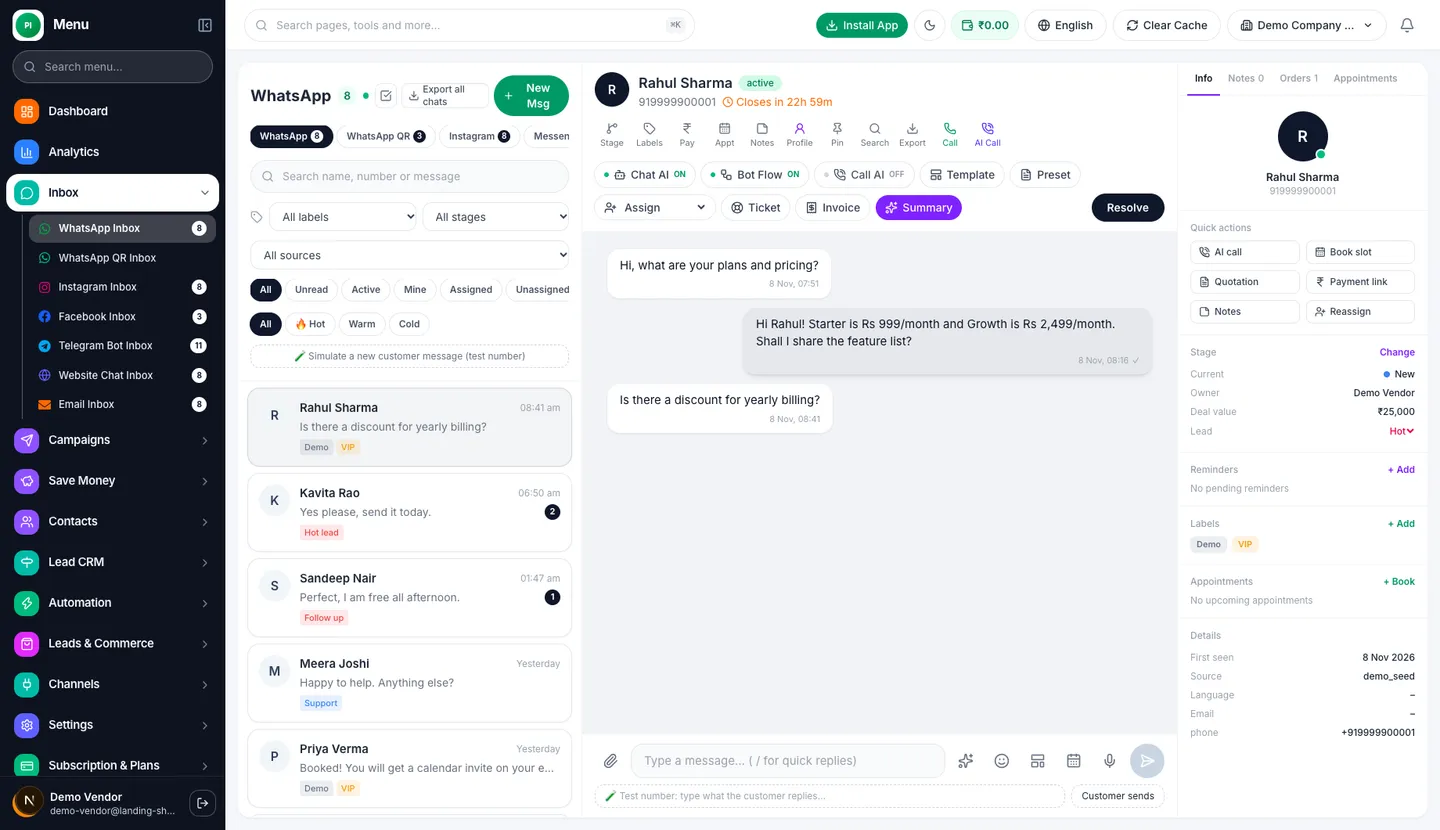
  • Assign chats, add labels and leave private notes for teammates
  • See the customer's details and past orders next to the chat
  • Hide the customer's phone number from agents if you want to
Try it free
Team inbox with a customer chat open and the customer details panel on the right

Chatbots and flow builder

Answer and qualify customers while you sleep

Build a chatbot by dragging and dropping boxes. No coding at all. The bot greets people, asks questions and passes the chat to a human when needed.
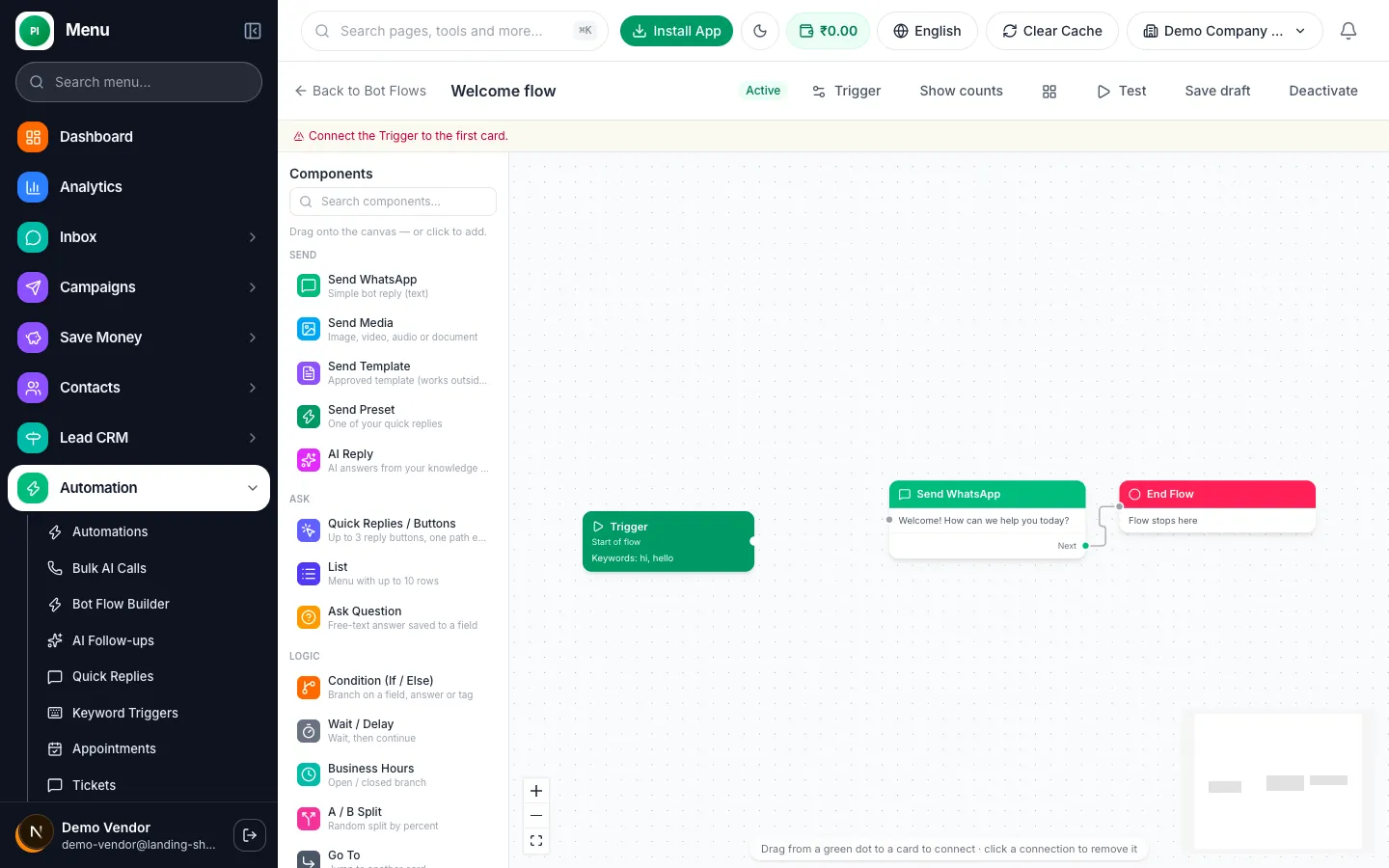
  • Drag-and-drop builder with buttons, lists and questions
  • Starts when a customer sends a word like "price" or "hi"
  • Collects names, needs and budgets and saves them to the contact
  • Hands the chat to your team in one click
Try it free
Chatbot flow builder with a trigger, a welcome message and an end step

AI replies

An assistant that knows your business

Teach the AI with your own price list, FAQs and website pages. It then writes or sends answers in your tone, and you stay in control.
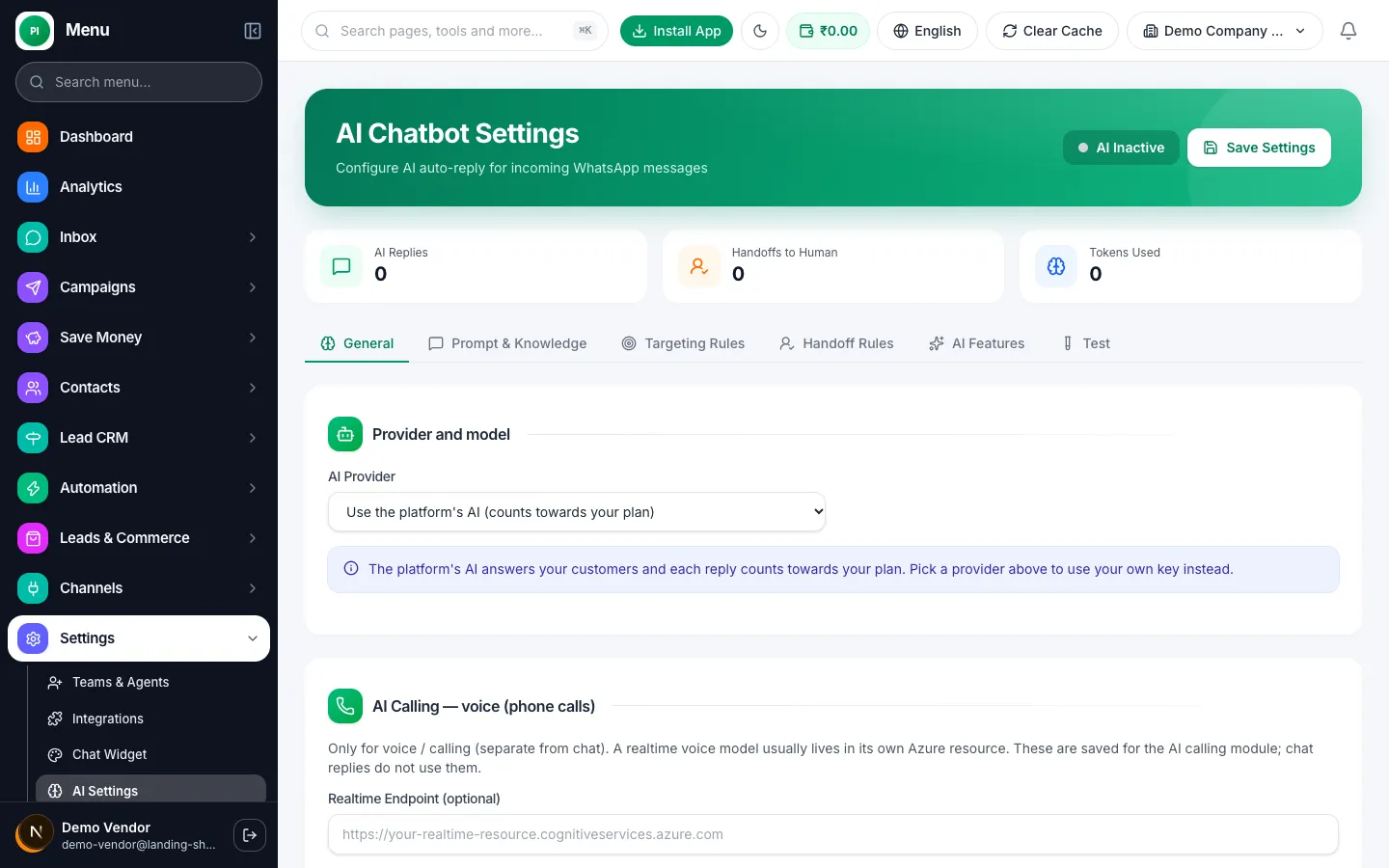
  • Learns from your own documents and pages
  • Choose to approve each reply, or let it reply on its own
  • Hands over to a person when it is unsure
  • Helps write broadcasts and message templates faster
Try it free
AI chatbot settings page with provider, prompt and handover rules

Drip and sequence campaigns

Follow up automatically, at the right time

Set up a series of messages once. Each new lead or customer gets them on their own timeline, such as a welcome today and a reminder in three days.
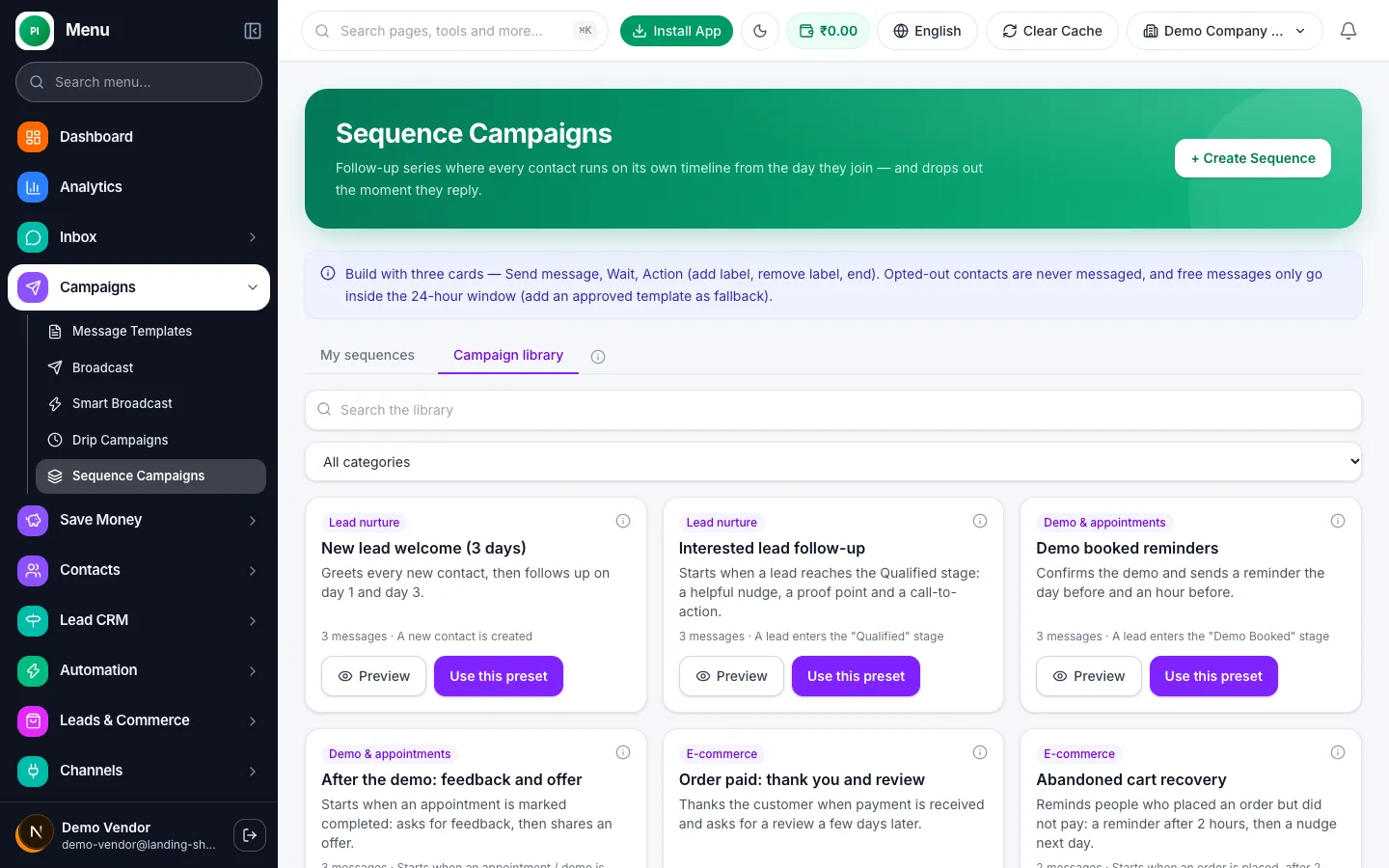
  • Start when something happens, like a new lead or a paid order
  • Mix messages, waits and actions such as adding a label
  • Stops by itself when the customer replies or opts out
  • Start fast with ready-made campaigns for your industry
Try it free
Library of ready-made follow-up campaigns to start from

CRM and lead pipeline

See every lead and where it stands

Each chat becomes a contact. Move deals across stages like New, Proposal sent and Won, so nothing falls through the cracks.
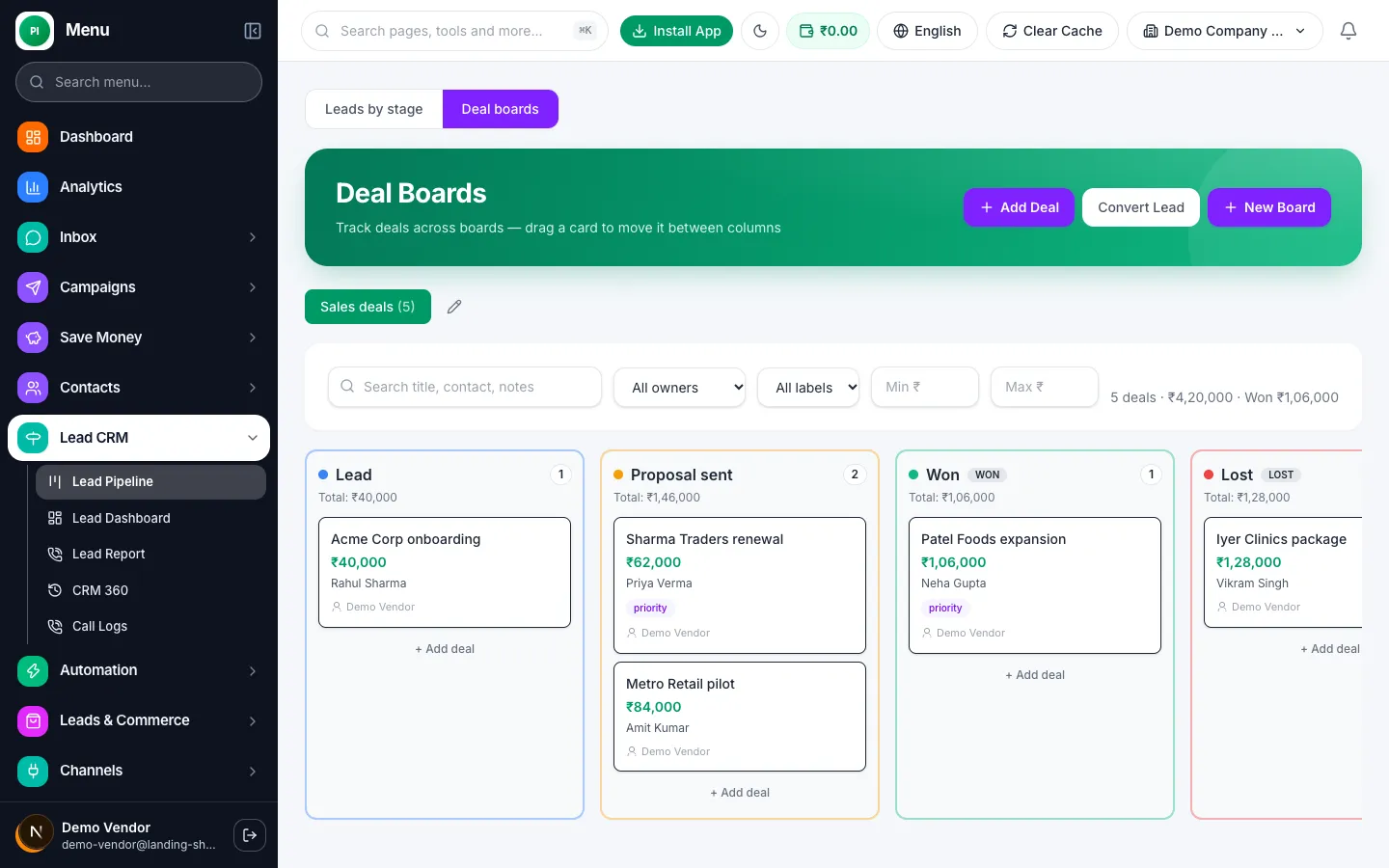
  • Simple board you drag deals across, with values and owners
  • Tags, notes and custom fields on every contact
  • Reminders so follow-ups never get forgotten
  • Import and export your contacts any time
Try it free
Sales pipeline board with deals in Lead, Proposal sent, Won and Lost columns

Lead sources

Catch leads from every place you advertise

Leads from Facebook and Instagram lead ads, IndiaMART and your website forms land in your CRM in seconds, and get a WhatsApp message right away.
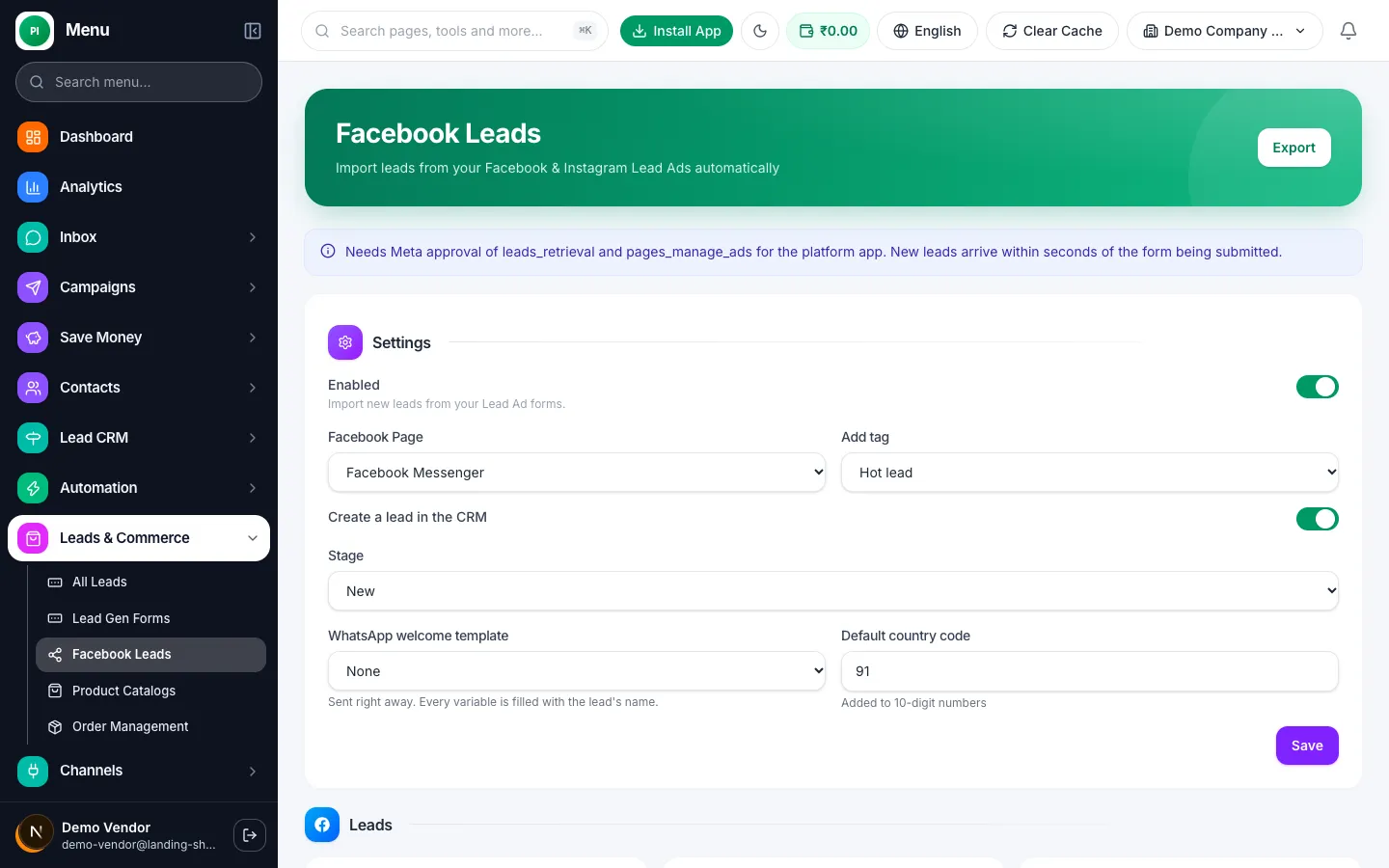
  • Facebook and Instagram lead ads connect directly
  • IndiaMART and other enquiries arrive in the same list
  • Website forms start a WhatsApp chat as soon as they are sent
  • Every lead shows where it came from
Try it free
Lead import settings for Facebook and Instagram lead ads

Instagram auto-DM and Messenger

Turn Instagram comments into private chats

When someone comments a word like "price" on your post, they get a private message with the details. Facebook Messenger chats come into the same inbox.
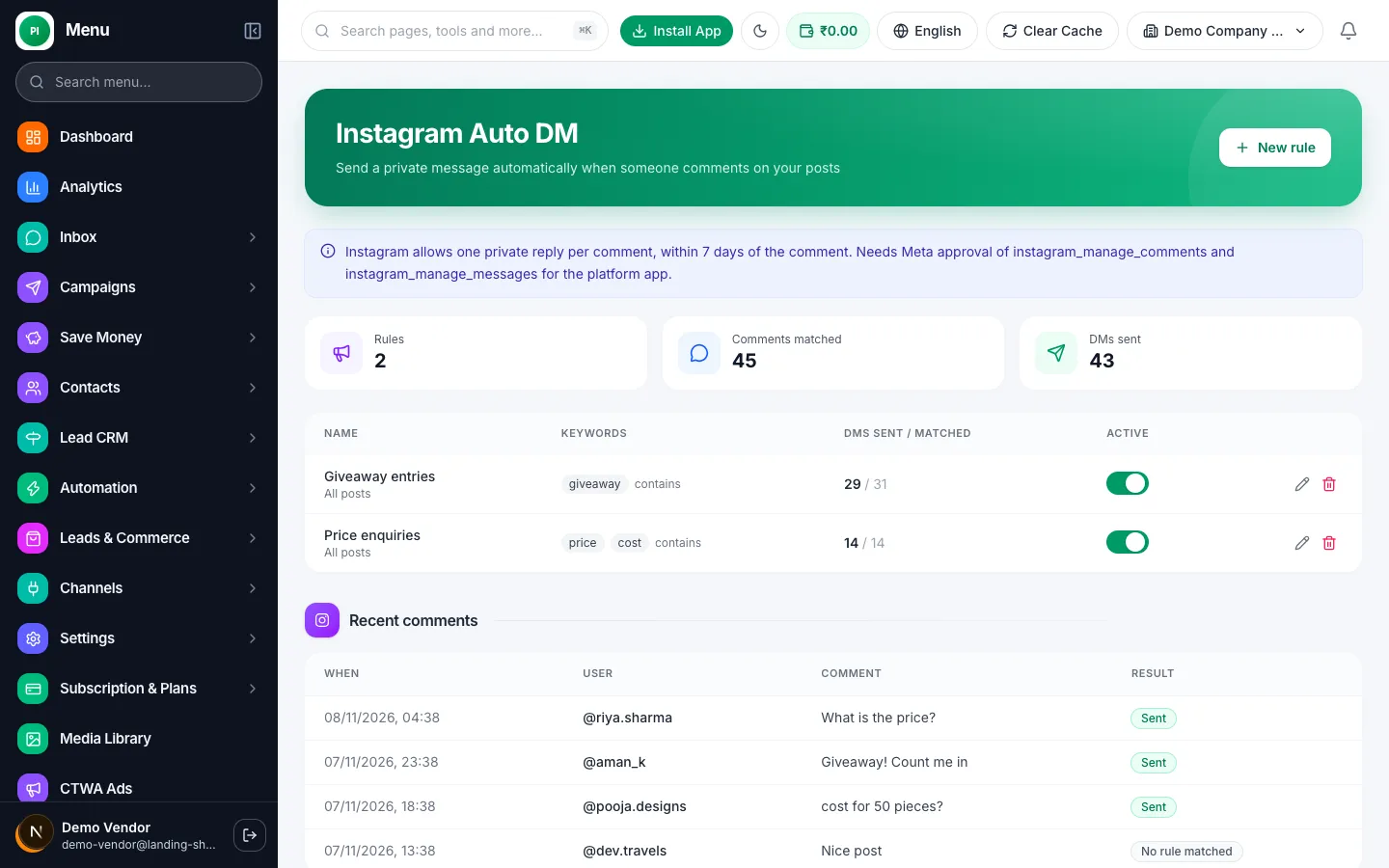
  • Auto-reply to comments with a private DM
  • Great for giveaways, price requests and product launches
  • See all comments and results in one place
  • Instagram and Messenger chats share your team inbox
Try it free
Instagram auto-DM rules with keywords and recent comments

Catalog, orders and payment links

Show products and get paid inside the chat

Share your products, take orders and send a payment link without the customer ever leaving WhatsApp.
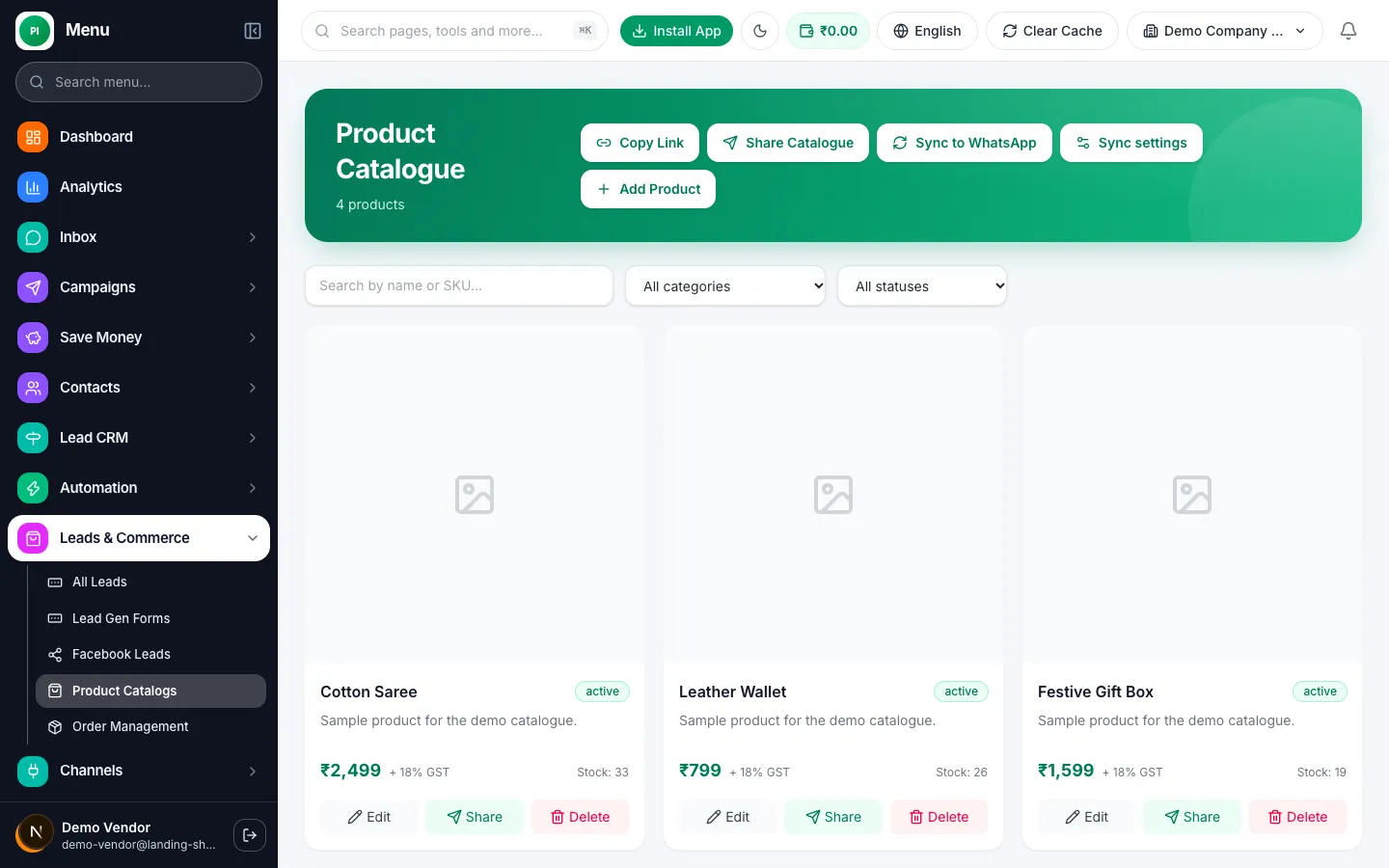
  • Product catalog you can share as a message or a link
  • Send a payment link in one tap
  • Order status updates go out automatically
  • Abandoned-cart reminders bring buyers back
Try it free
Product catalog with prices and stock

Click-to-WhatsApp ads and QR codes

Make every ad click and QR scan start a chat

Send people from Facebook and Instagram ads, flyers and QR codes straight to a WhatsApp chat, and see which ones bring real customers.
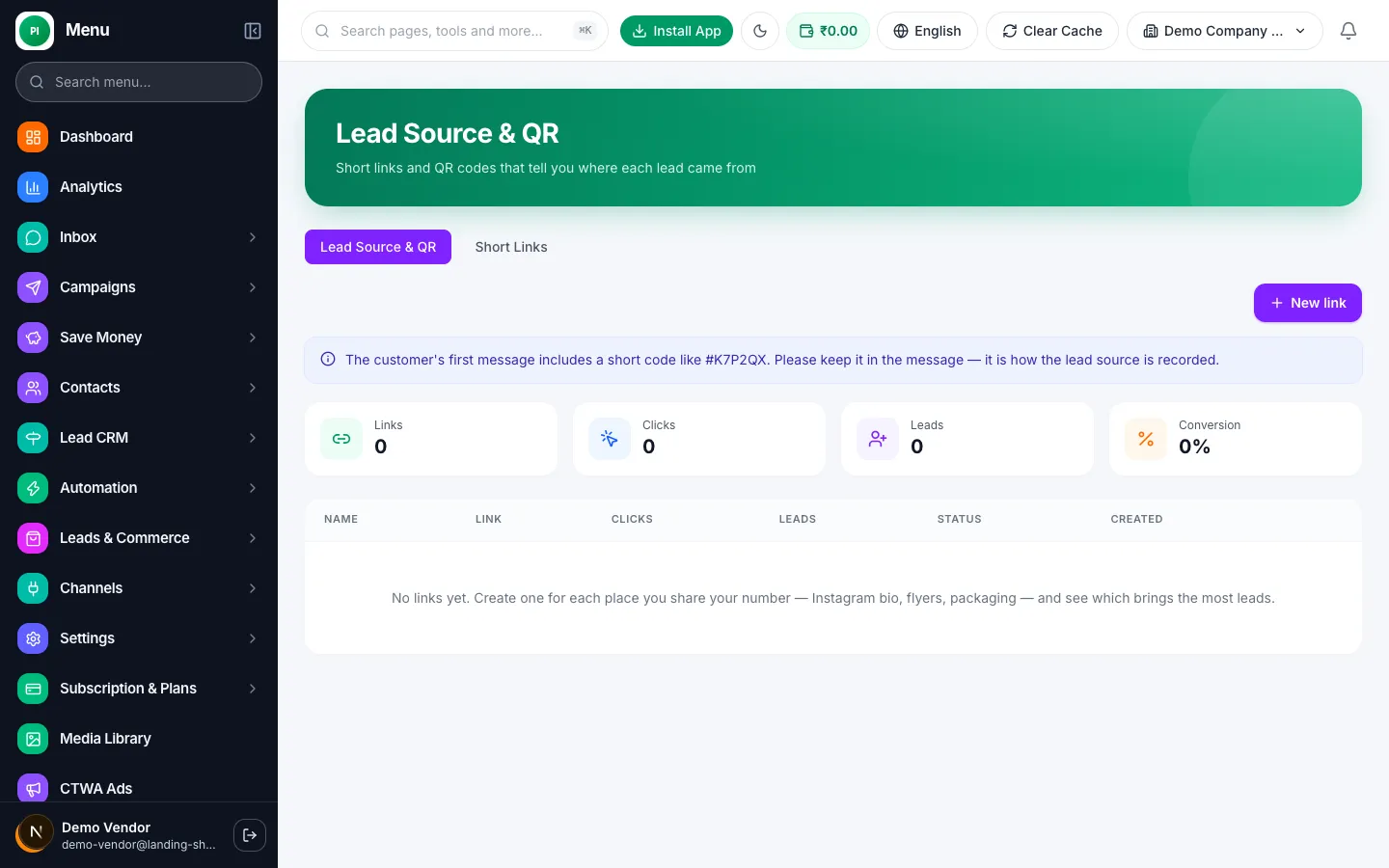
  • Short links and QR codes you can print anywhere
  • See clicks, chats and leads for every link
  • A welcome reply goes out instantly
  • Know which ad or place paid off
Try it free
Lead source links and QR codes with clicks and leads

Analytics and reports

Know what is working

Clear numbers on messages, replies and response time, so you can see what is working and what your team needs help with.
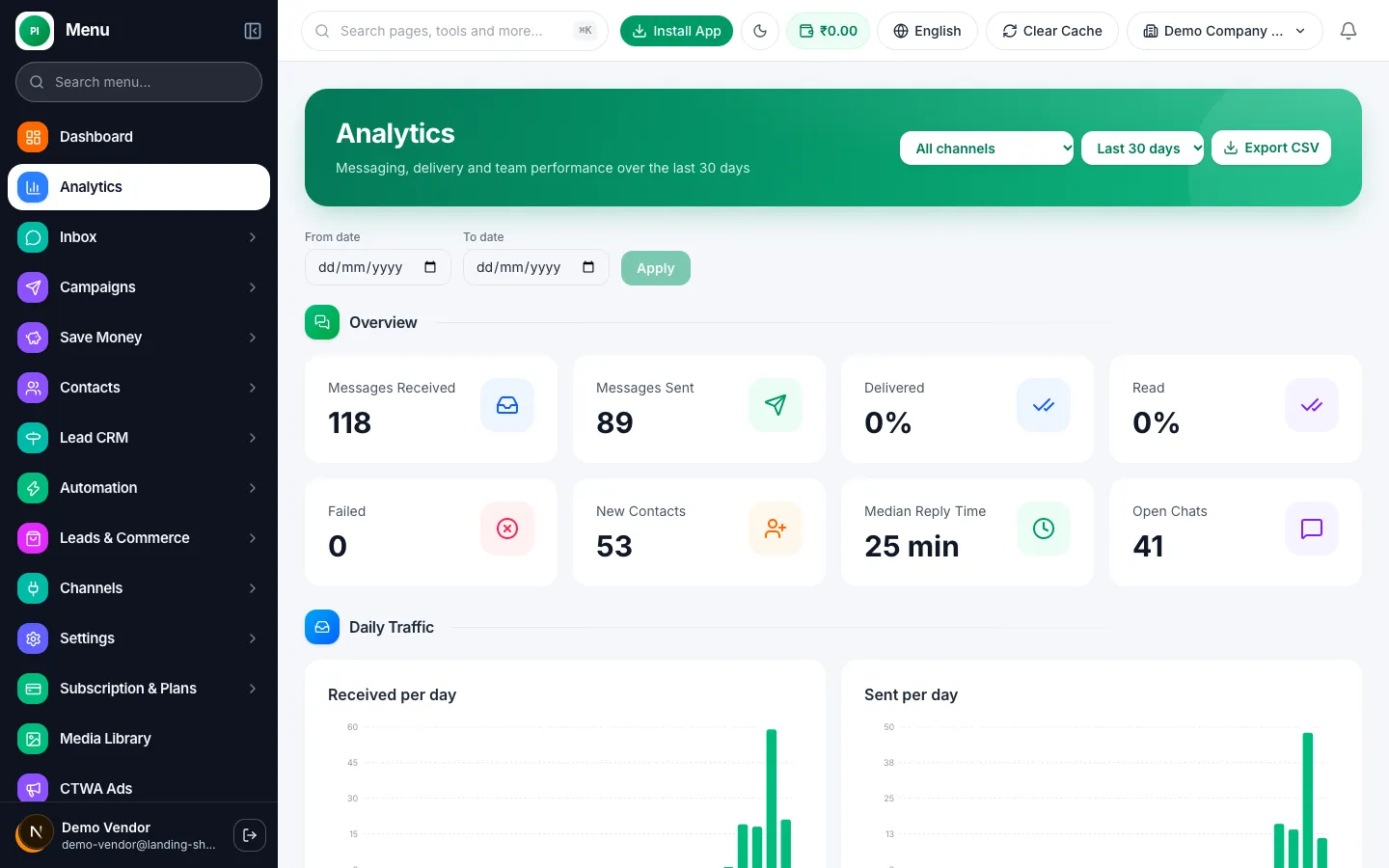
  • Messages sent, delivered, read and failed
  • Average reply time of your team
  • New contacts and open chats each day
  • Download reports as a spreadsheet
Try it free
Analytics page with message and reply statistics

Integrations

Works with the tools you already use

Connect your online store, payments, spreadsheets and CRM so orders, leads and customers move across by themselves.
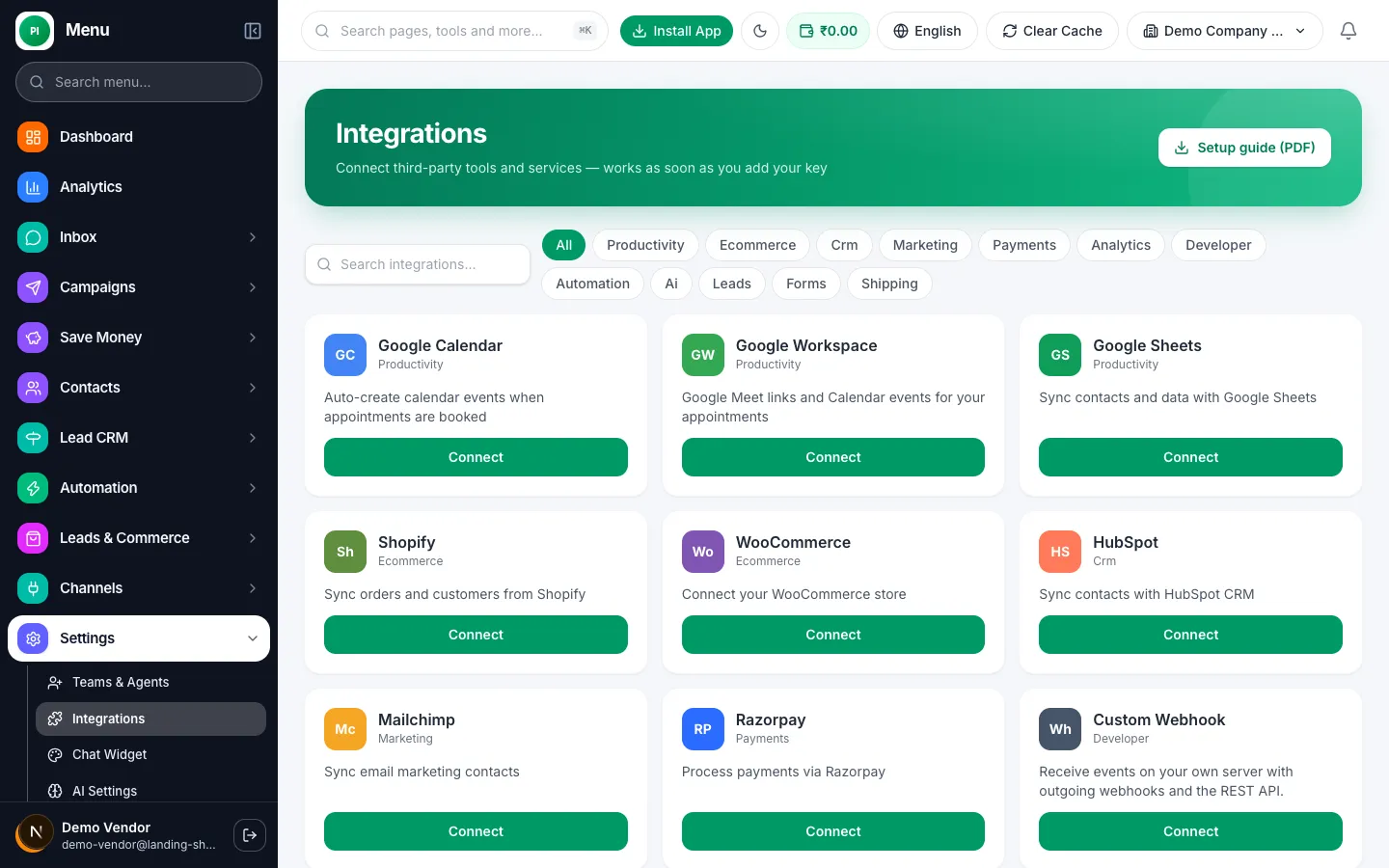
  • Shopify and WooCommerce order messages
  • Razorpay payment links and confirmations
  • Google Sheets, Zoho and HubSpot sync
  • Webhooks and an open API for everything else
Try it free
Integrations page with Google Calendar, Shopify, WooCommerce, HubSpot and Razorpay

Website chat widget, QR and links

Let website visitors chat with you on WhatsApp

Add a chat button to your website in a minute. Visitors tap it and the conversation starts in WhatsApp, already tagged as a website lead.
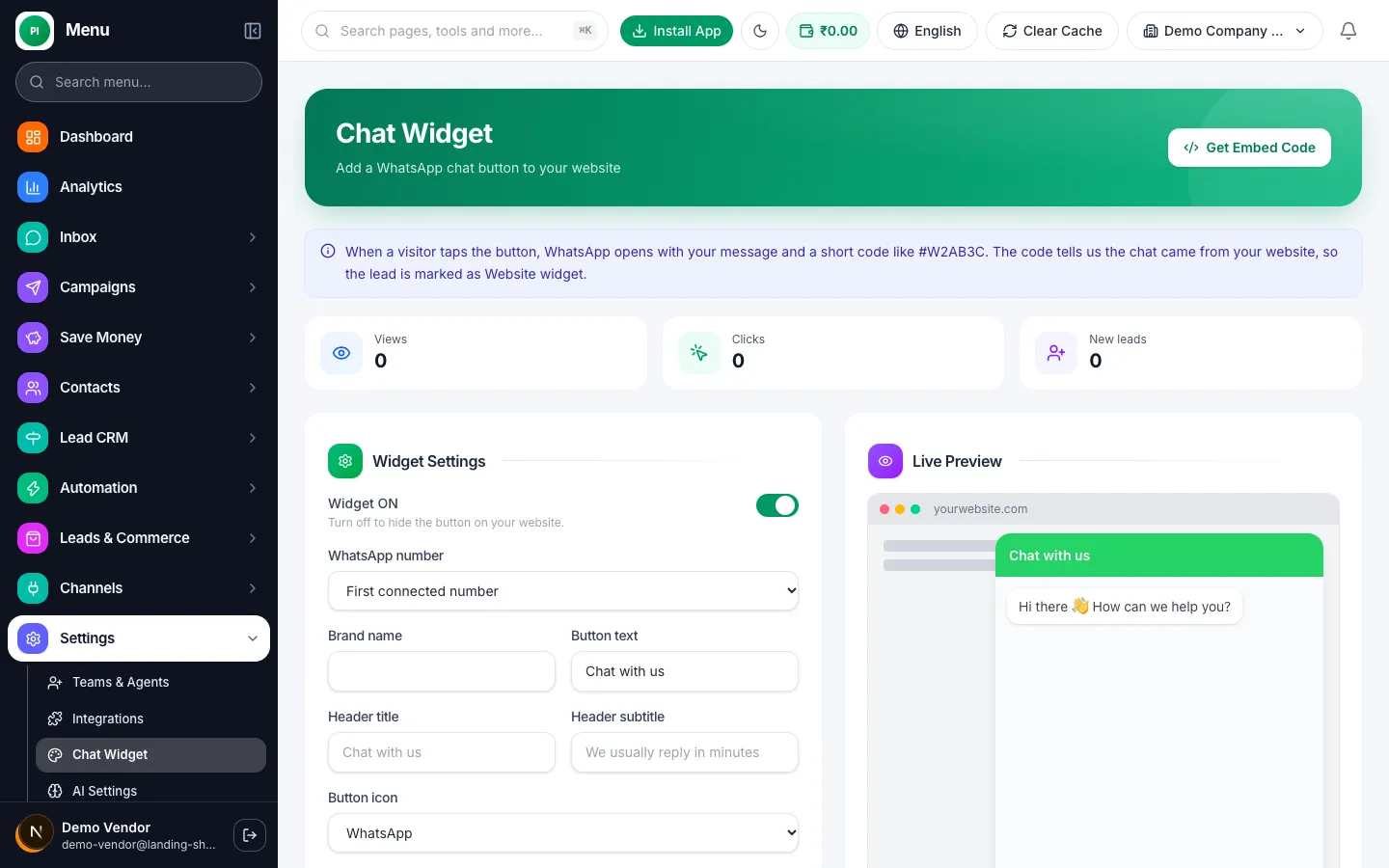
  • Copy and paste one line of code
  • Choose the colour, wording and greeting
  • Chats from your site show up in your team inbox
  • Share a wa.me style link or QR code anywhere
Try it free
Chat widget settings with a live preview of the button on a website

And a lot more, built in

Lead forms

Collect enquiries on your website and start the WhatsApp conversation instantly.

Appointments

Let customers book a slot on WhatsApp and send reminders automatically.

Quick replies

Save answers you type often and send them with a short shortcut.

Keyword triggers

Reply automatically when a customer sends a word like "price" or "address".

Segments and labels

Group customers by what they bought, where they live or how warm the lead is.

API and webhooks

Connect your own software when you need something special.

Smart CRM, built in

Track leads, send quotes, manage your team and answer customers on WhatsApp, all from one panel.

Sales CRM

See every lead in one place and never lose a deal.

  • Colour status chips and overdue warnings
  • Kanban board
  • Lead Pool: team members claim new leads
  • Merge duplicates, restore from trash

Follow-up reminders

Your day starts with who to call.

  • Follow-up counters in the top bar
  • "Follow-ups due" popup after login

Auto lead routing

New leads reach the right person in seconds.

  • Route by source, city or keyword, then round-robin
  • Alerts when the first call is late or a lead is stuck
  • Escalates to the owner

Quotations with GST

Send a proper quote and get paid faster.

  • GST PDF with CGST, SGST or IGST
  • Send on WhatsApp, convert to invoice
  • Products and services with HSN

Monthly targets

Everyone knows the number to hit.

  • Targets for each team member
  • Progress bars update as deals close

Team and HR

Run your team without extra tools.

  • Live team status
  • GPS attendance check-in
  • Leaves, tasks, daily reports, salary slips

Ask CRM

An AI helper that knows your numbers.

  • Ask "How many new leads today?"
  • Answers come from your live data

Help on every page

Easy to learn, even on day one.

  • Help button on each page
  • What's new popup
  • Guided tour for new users

Works on your phone

Install it on Android or iPhone straight from the browser, no Play Store needed. Get push notifications for new leads and follow-ups.

What businesses typically see on WhatsApp

Up to 5x
more replies than e-mail campaigns, typically
About 98%
typical message open rate on WhatsApp
Up to 60%
fewer repeat questions to answer by hand, with bots
24x7
first response, even outside office hours

Illustrative, typical figures reported across the industry. Your results will depend on your audience, offer and messages.

Who is it for? Businesses that talk to customers

If your customers ask questions, book, buy or come back, WhatsApp helps. Here is how different businesses use it.

E-commerce and D2C brands

Turn visitors into repeat buyers.

  • Send order confirmations, tracking links and abandoned-cart reminders
  • Announce a new launch or sale to everyone who bought before

Real estate

Reply to every enquiry before a competitor does.

  • Reply instantly to leads from ads and property portals, then book site visits
  • Share brochures, photos and prices in the chat

Education and coaching

Fill batches and keep students informed.

  • Answer admission enquiries and share fee details automatically
  • Send class timings, reminders and fee due alerts

Healthcare and clinics

Fewer missed appointments.

  • Let patients book a slot and send reminders the day before
  • Share reports, follow-up advice and check-up reminders

Travel and hospitality

Plan trips and stays in one conversation.

  • Share itineraries, quotes and booking confirmations
  • Send pre-arrival tips and ask for a review after the stay

Finance and insurance

Keep customers on track and on time.

  • Send premium and EMI reminders with a payment link
  • Collect documents and answer policy questions in the chat

Local services and restaurants

Bookings and repeat orders, simply.

  • Take table, salon or service bookings and send reminders
  • Send the weekly menu or offers to regular customers

Agencies

Run WhatsApp for several clients.

  • Run campaigns and a shared inbox for each client brand
  • Share campaign reports with clients every month

Why not just use WhatsApp by hand?

The normal WhatsApp app is great for friends. A growing business needs a little more.

Comparison of Manual WhatsApp, WhatsApp Business app, Prestige Intelligence
FeatureManual WhatsAppWhatsApp Business appPrestige Intelligence
People who can reply togetherOne phoneUp to a few linked devicesYour whole team on one number
Send an offer to many customersOne by oneLimited broadcast listsThousands in one click, scheduled
Chatbot and AI repliesNoBasic away messages onlyFull no-code bots and AI
Delivery and read reportsNoBasicPer campaign, with replies
Lead tracking and pipelineUse a notebookLabels onlyCRM board with reminders
Ban risk from bulk sendingHighHighLow: official platform with opt-in
Instagram and website chat in one placeNoNoYes
Connect to your shop and paymentsNoNoShopify, WooCommerce, Razorpay and more

Go live in 3 simple steps

  1. 1

    Sign up

    Create your free account in a minute. No card needed to look around.

  2. 2

    Connect your number through Meta

    Log in with Facebook, pick your WhatsApp Business number and approve. We guide you on every screen.

  3. 3

    Go live

    Import contacts, send your first campaign and invite your team.

How Prestige Intelligence compares

Feature comparison
FeaturePrestige IntelligenceAiSensyWATIInteraktGallabox
Shared team inboxYesNot verifiedNot verifiedNot verifiedNot verified
No-code chatbot builderYesYesNot verifiedNot verifiedNot verified
AI repliesYesYesNot verifiedNot verifiedNot verified
CRM pipelineYesNot verifiedNot verifiedNot verifiedNot verified
AppointmentsYesNot verifiedNot verifiedNot verifiedNot verified
Catalogue & ordersYesNot verifiedNot verifiedNot verifiedNot verified
Starting price——₹2,699/mo—₹2,999/mo

Competitor prices as listed on their websites on 24 Oct 2026; may change. “—” means not verified. Sources: AiSensy, WATI, Interakt, Gallabox.

Connects with the tools you already use

  • Shopify
  • WooCommerce
  • Razorpay
  • Google Sheets
  • Zoho
  • HubSpot
  • Zapier
  • Make
  • Calendly
  • Typeform
  • IndiaMART
  • Facebook Lead Ads
  • Instagram
  • Webhooks
  • REST API

Names are trademarks of their owners. Availability of each connector may vary.

Frequently asked questions

Yes. Prestige Intelligence is built on the official WhatsApp Business Platform from Meta. We never use unofficial WhatsApp Web sessions, so your number is not at risk of being blocked for using a shady tool.

Ready to grow with WhatsApp?

Create your account in minutes and start talking to customers on the app they already open every day.